How the Waitlist Works
This guide covers how prospects join a property's waitlist, the email they receive when they join, and how people leave the list. Rent IQ turns on Email Lists for each property.
Joining the Waitlist
Each property has its own signup link, shown on the property's page. Add it to your website, listings, or signage. Prospects choose the unit type they want and, if the property asks for one, their budget.
Prospects can also join from the tour form when the unit type they want has no availability:
- 1
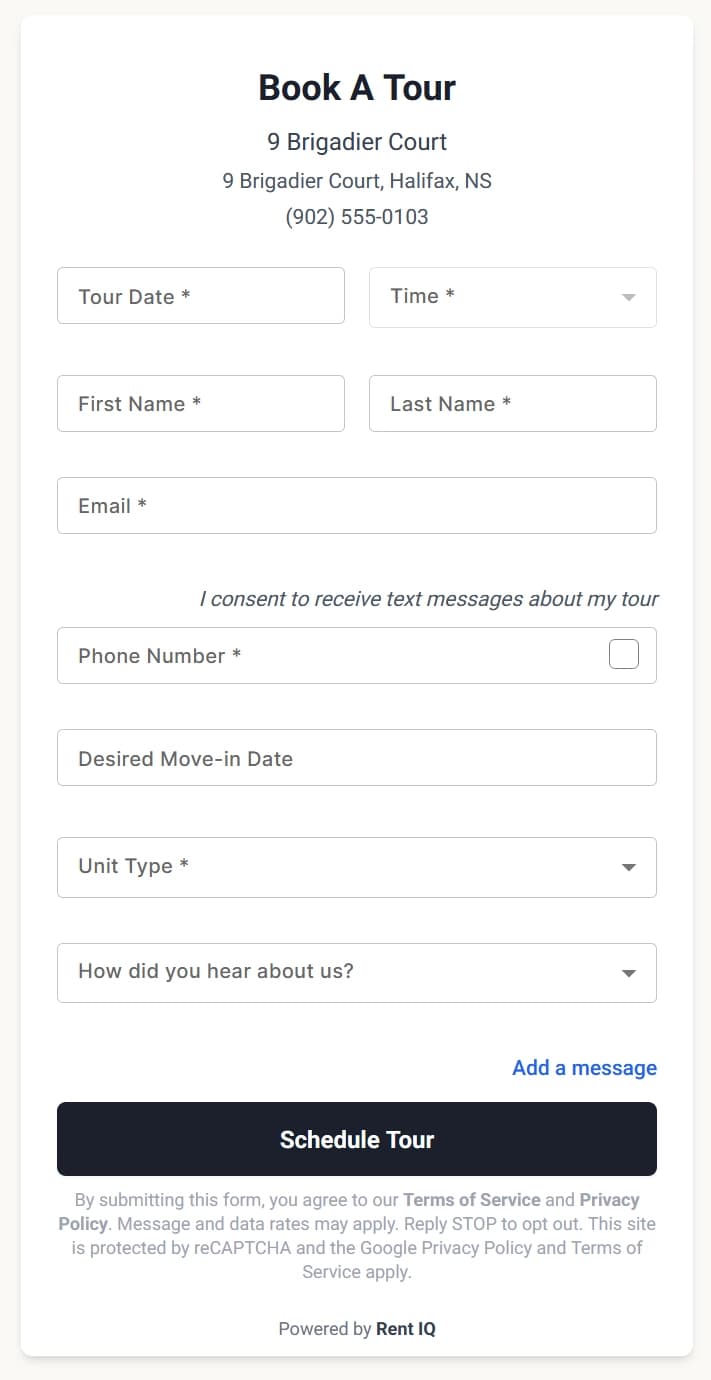
The prospect opens the tour form.
- 2
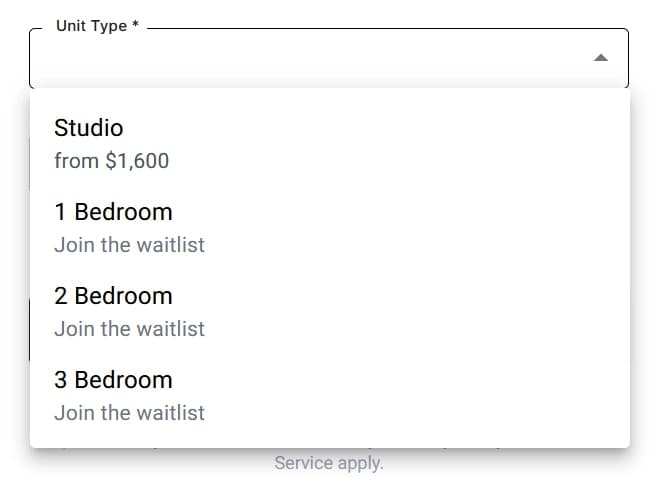
Unit types with no availability show Join the waitlist.
- 3
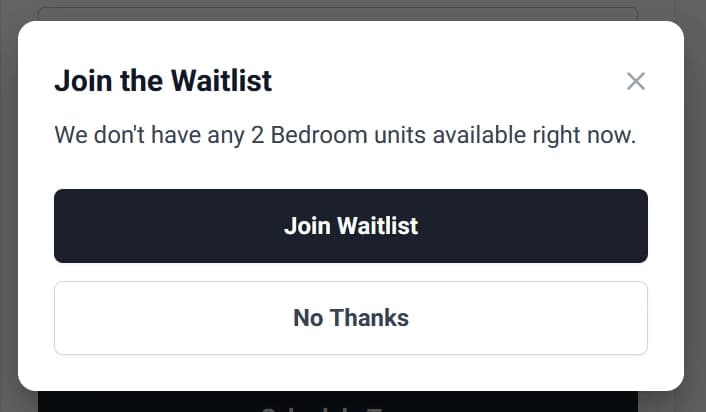
Picking one of those unit types opens a prompt to join the waitlist.
- 4
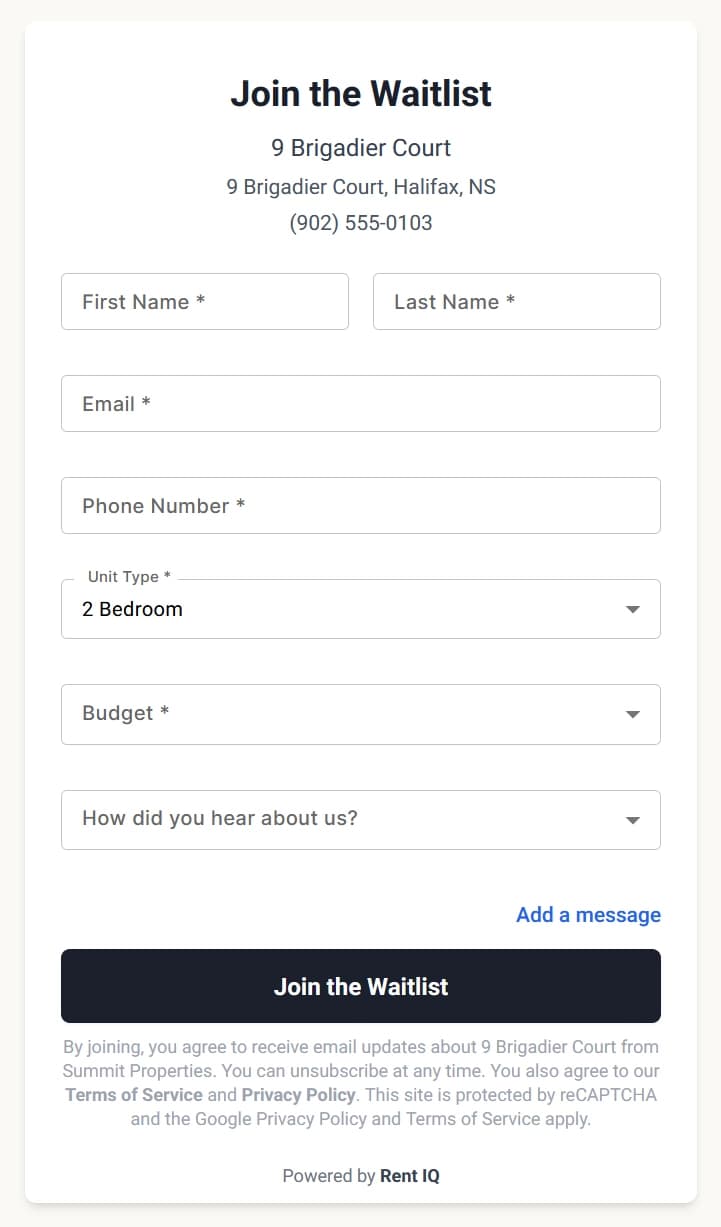
Join Waitlist opens the waitlist form with that unit type selected and the details they already entered filled in.
After Joining
Each new subscriber receives an email from the property confirming they are on the waitlist.
Leaving the List
People leave the list when they unsubscribe, when their email address bounces or they mark an email as spam, or when one of their tours at the property is marked as leased. They no longer receive emails and are no longer counted as subscribers. Someone who unsubscribes can join again from the signup link.