
Email Lists
A Waitlist for Every Property
Rent IQ's Email Lists feature gives every property a waitlist. Prospective renters who want an unavailable unit type can join the waitlist, and Rent IQ can automatically email them when that unit type becomes available. It is included with the Rent IQ subscription.
Subscribers
Build Your List
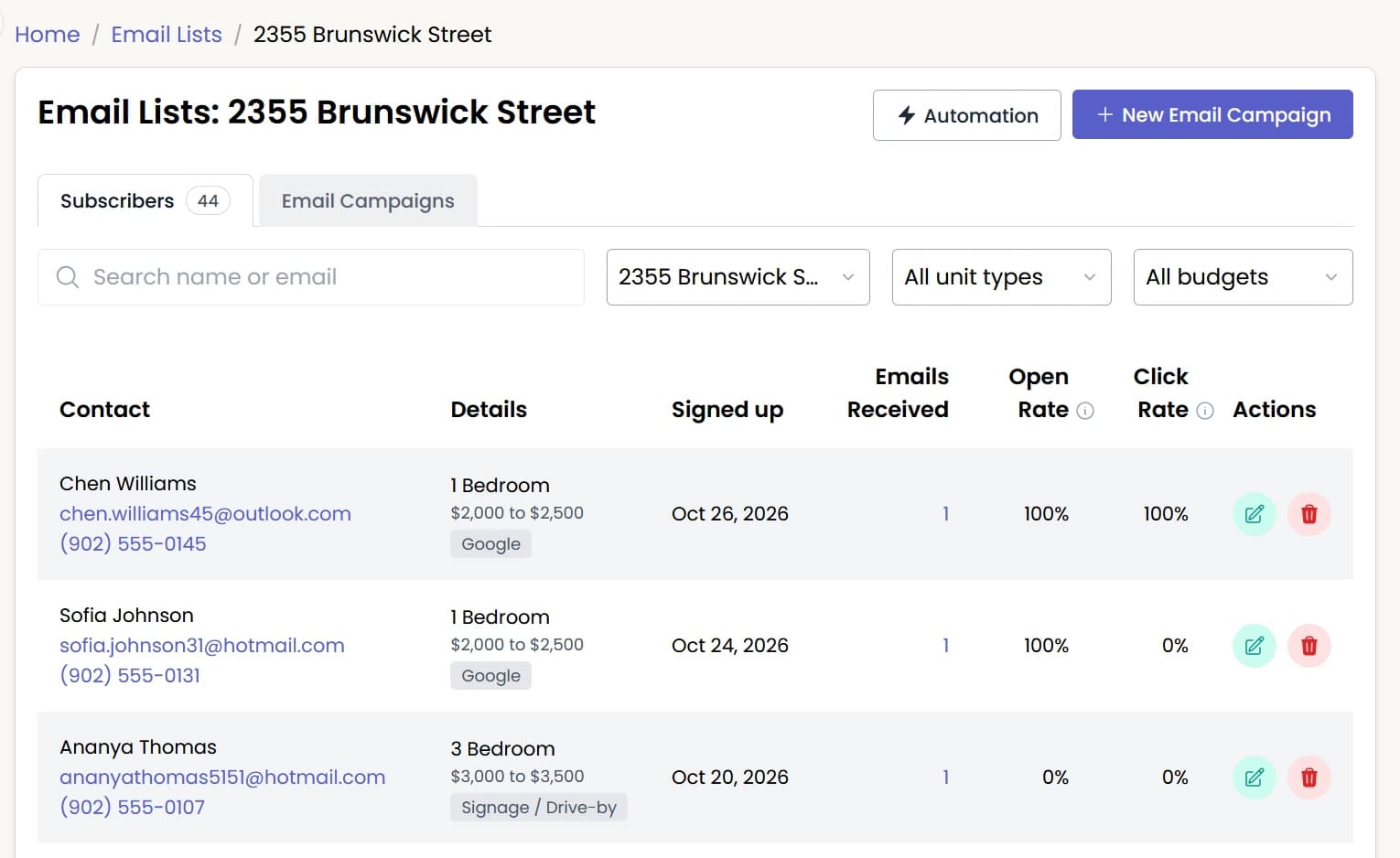
Every building has its own waitlist so you can stay connected with prospects waiting for an unavailable unit type
- Prospects join from a link on your website, listings, or signage, or from the tour form
- View subscribers by unit type and budget
- See each person's marketing channel and email activity
Performance
Compare Email Performance
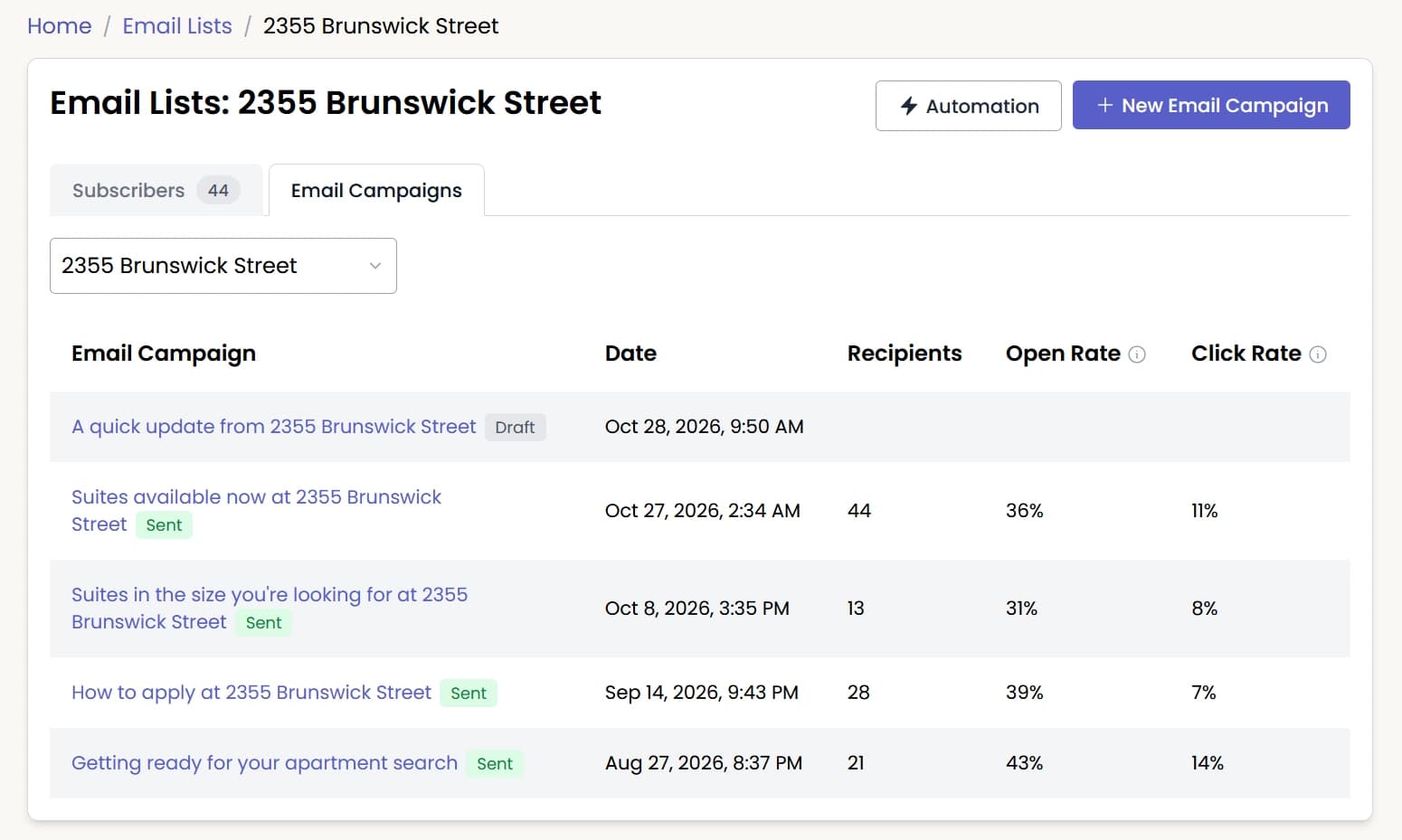
Every email campaign shows recipients, open rate, and click rate
- Open a sent email campaign to see which links were clicked
- Tours booked from each email campaign show in Analytics
Automation
Email Automations
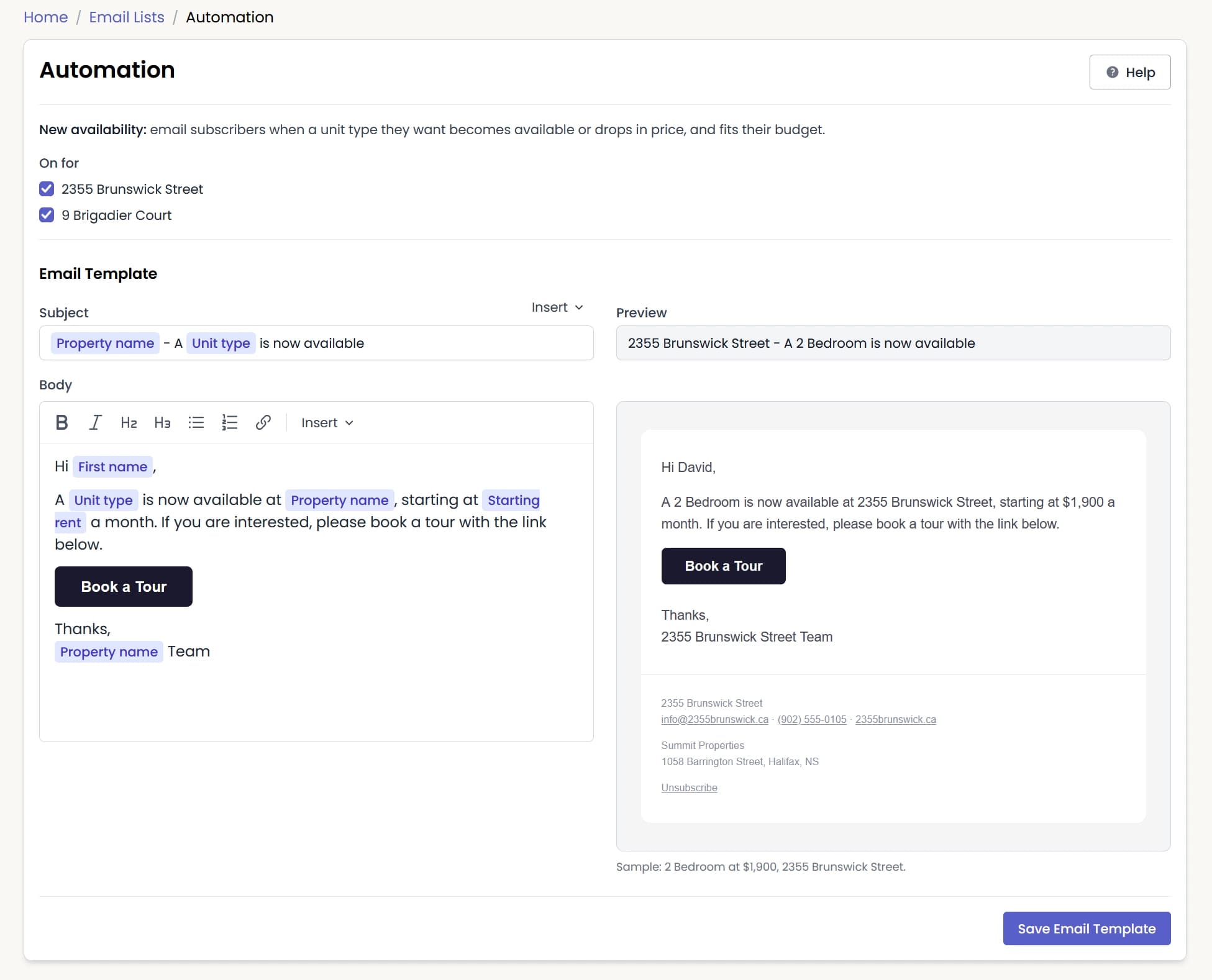
When a unit type becomes available or drops in price, Rent IQ can be set up to automatically email the people on the waitlist who match those conditions
- Write the email once, and Rent IQ fills in the unit type and starting rent
- Emails are sent during leasing hours
Campaigns
Send Email Campaigns
Write emails to the whole waitlist, or only the people who chose certain unit types and budgets
- Automatically fill in each person's name and the property name
- Add a Book a Tour button once tours open
- Send it now, schedule it, or send yourself a test first

Demand
Track Renter Demand
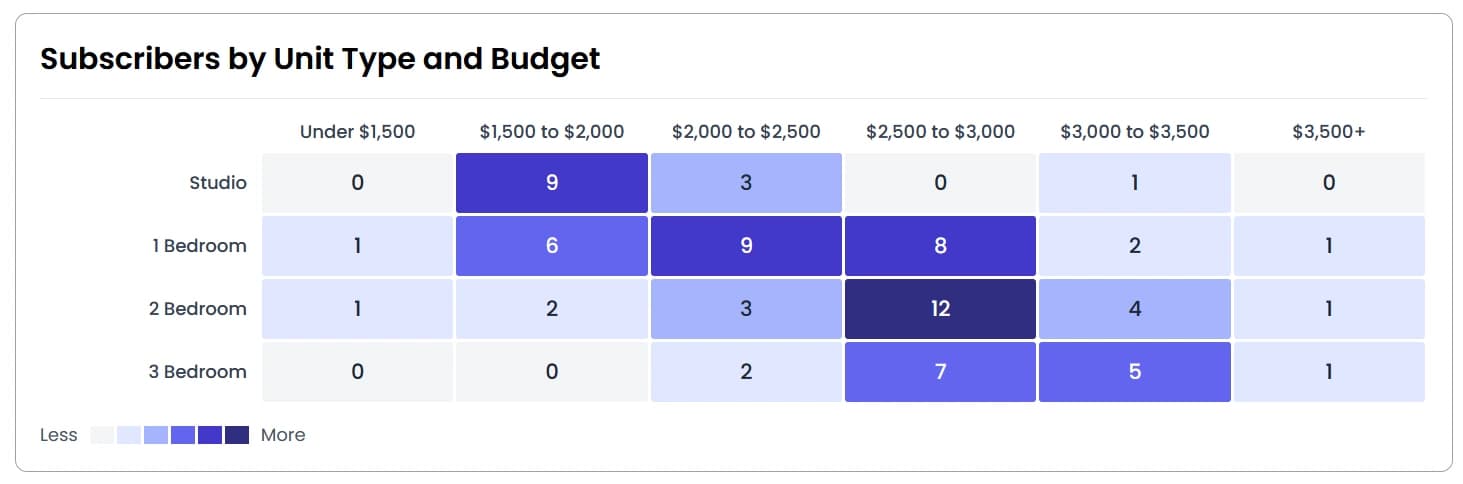
See demand by unit type, budget, and marketing channel. During pre-leasing, use it to set pricing and see which unit types are most in demand.
Tour Form
Keep Prospects When a Unit Type Is Unavailable
Prospects who want a unit type with no availability can join the waitlist from the tour form
- 1
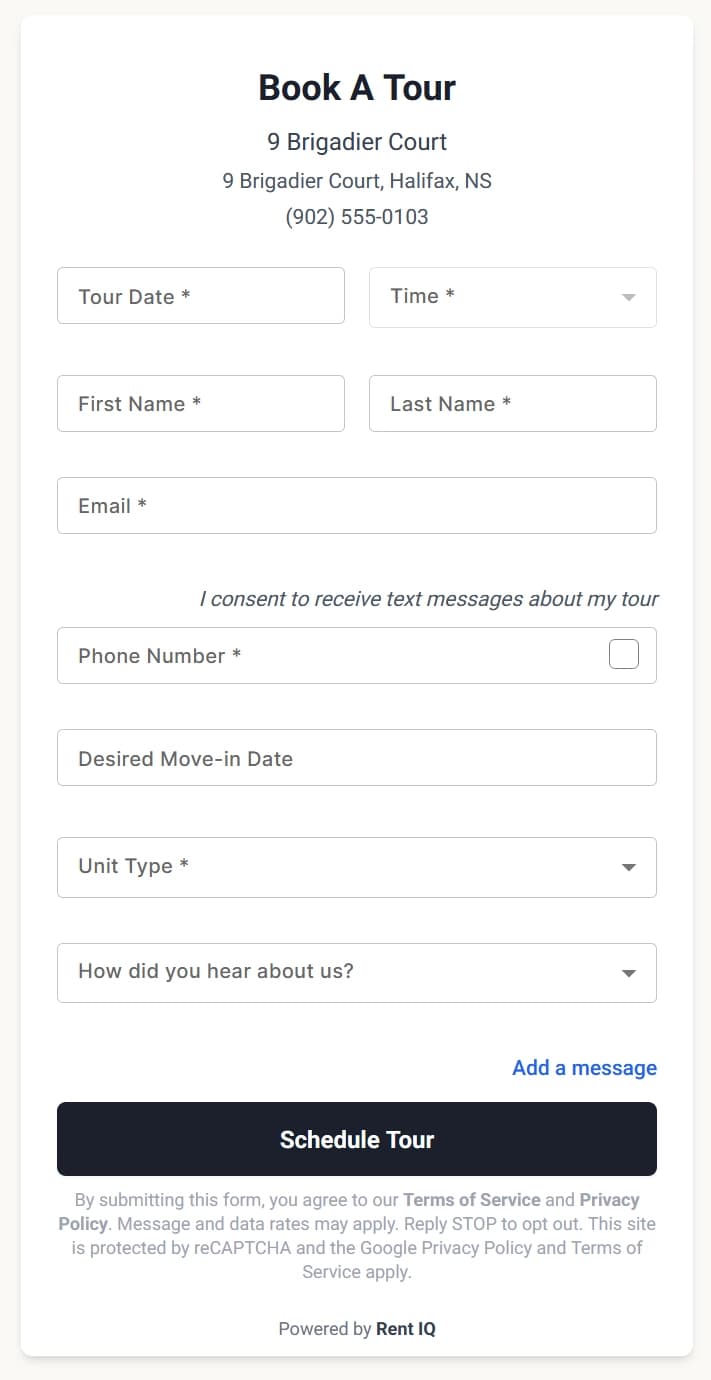
The prospect opens the tour form.
- 2
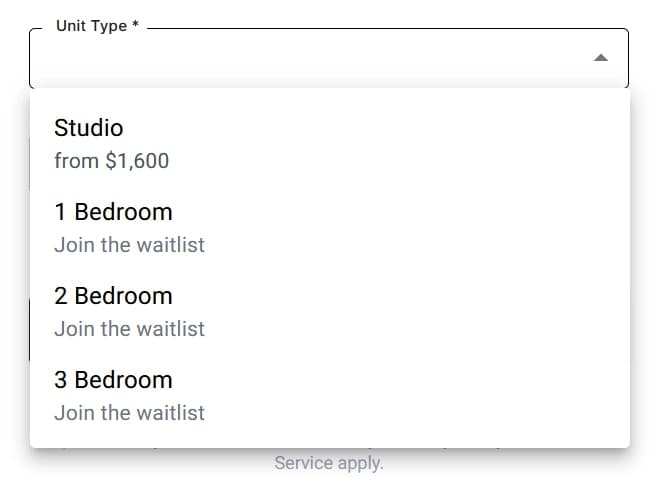
Unit types with no availability offer a "join the waitlist" option.
- 3
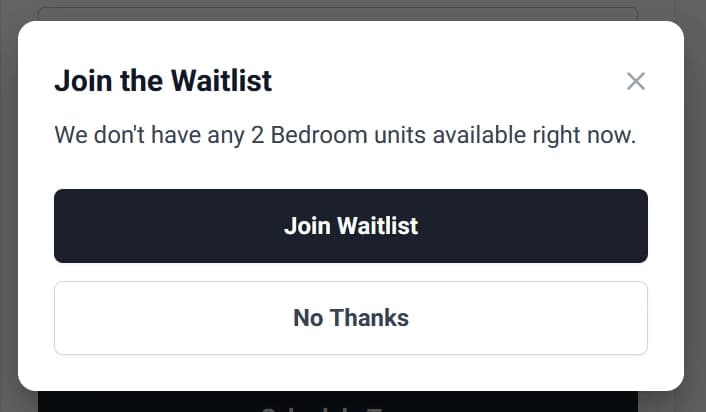
Clicking one of these unit types opens the waitlist prompt.
- 4
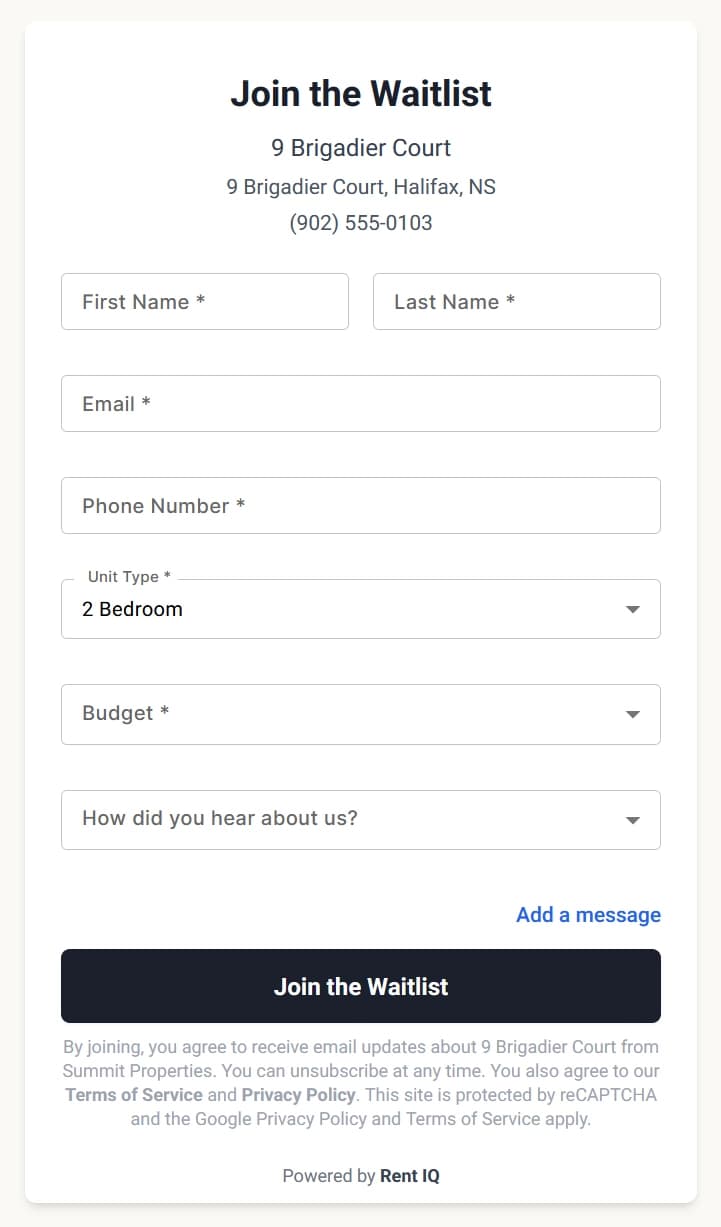
Clicking "Join Waitlist" opens the waitlist form with the unit type selected.
Ready to Improve Your Leasing Results?
Book a demo to see what Rent IQ can do for your portfolio.