
Leasing for Stabilized Rental Buildings
Tours and Waitlists for Stabilized Properties
Prospects book a tour when the unit type they want is available, or join the waitlist when it isn't. When a unit type opens up, Rent IQ emails the people waiting for it.
Tour Form
Keep Prospects When a Unit Type Is Unavailable
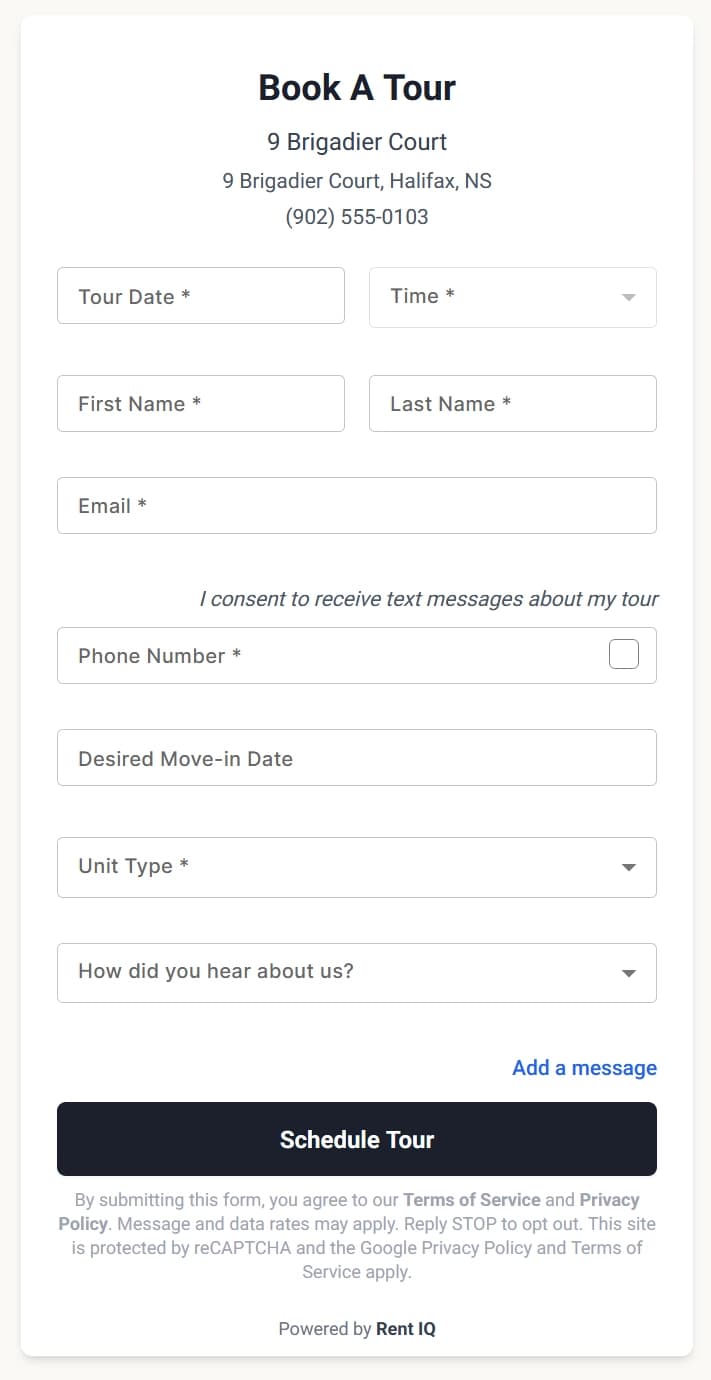
Prospects who want a unit type with no availability can join the waitlist from the tour form
- 1
The prospect opens the tour form.
- 2
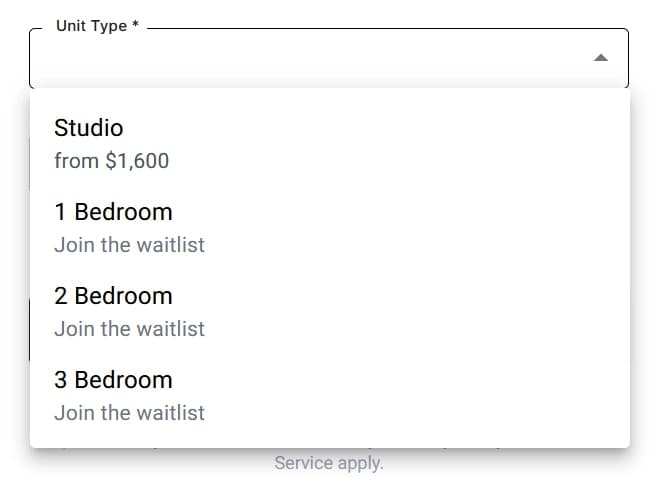
Unit types with no availability offer a "join the waitlist" option.
- 3
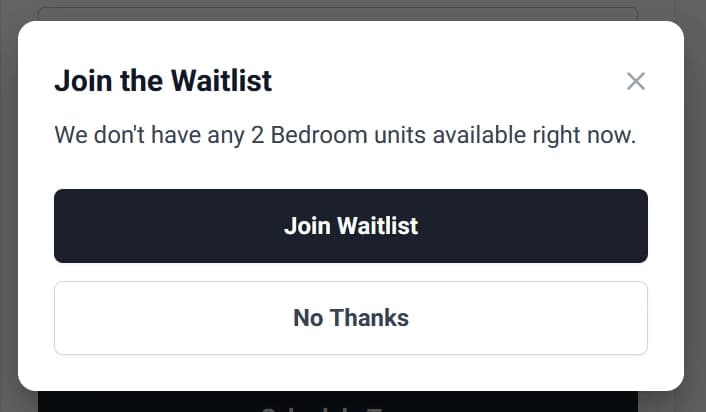
Clicking one of these unit types opens the waitlist prompt.
- 4
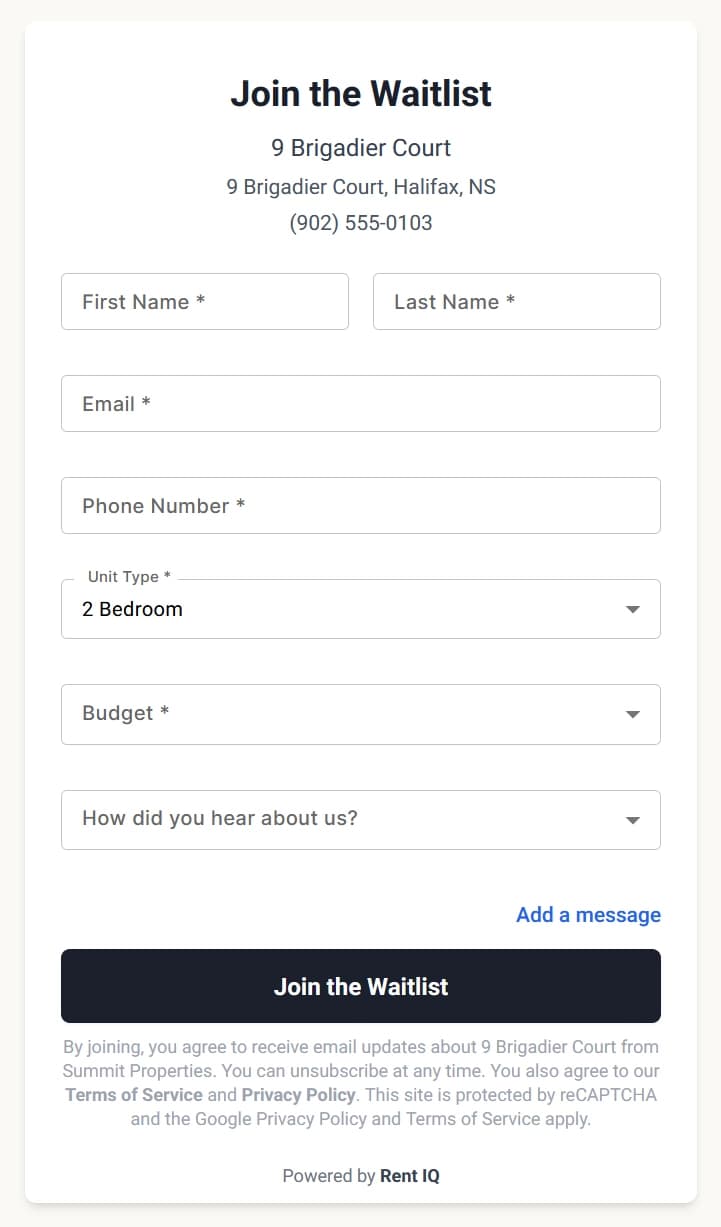
Clicking "Join Waitlist" opens the waitlist form with the unit type selected.
Automation
Email Prospects When Units Open Up
When a unit type becomes available or its starting rent drops, Rent IQ emails the people on the waitlist who want it and whose budget it fits
- Write the email once, and Rent IQ fills in the unit type and starting rent
- Emails are sent during leasing hours
- Works with availability from Rent IQ or your property management system

Communications
Automated Notifications
Prospects and agents receive tour confirmations, day-of reminders, and real-time updates, all sent automatically
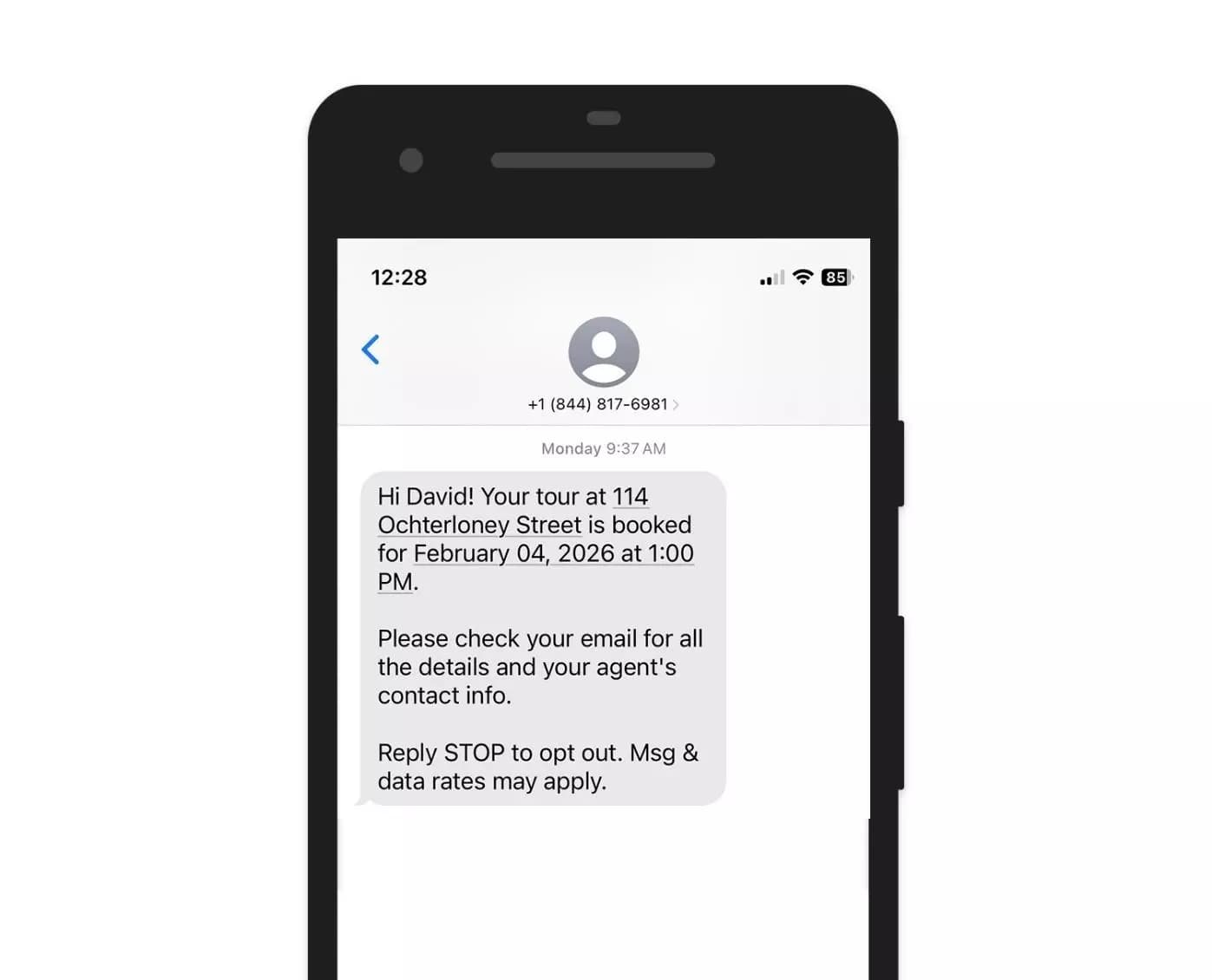
Tour Confirmation
Sent the moment a tour is booked, with property, date, and time
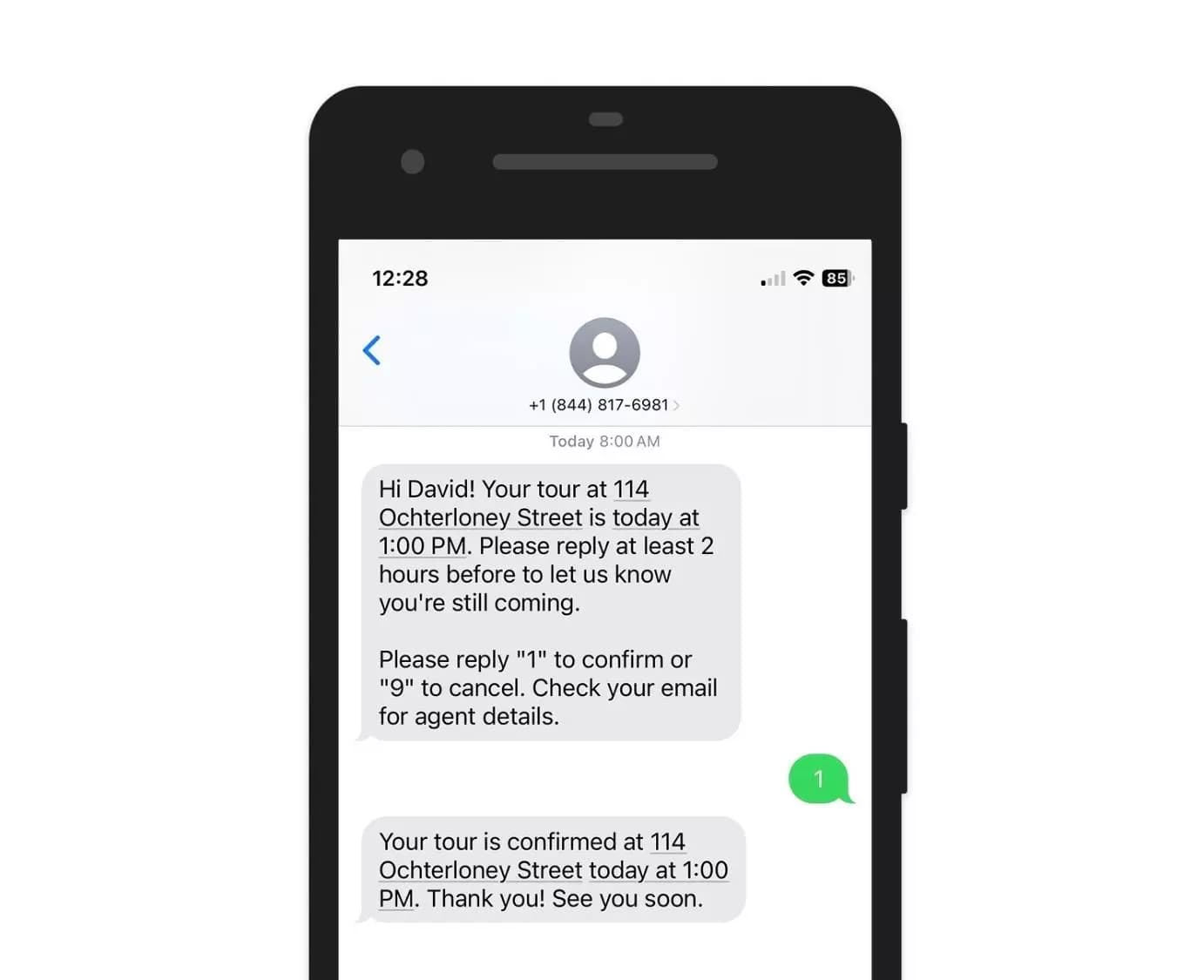
Day-Of Reminder
Sent the morning of the tour, reply 1 to confirm or 9 to cancel
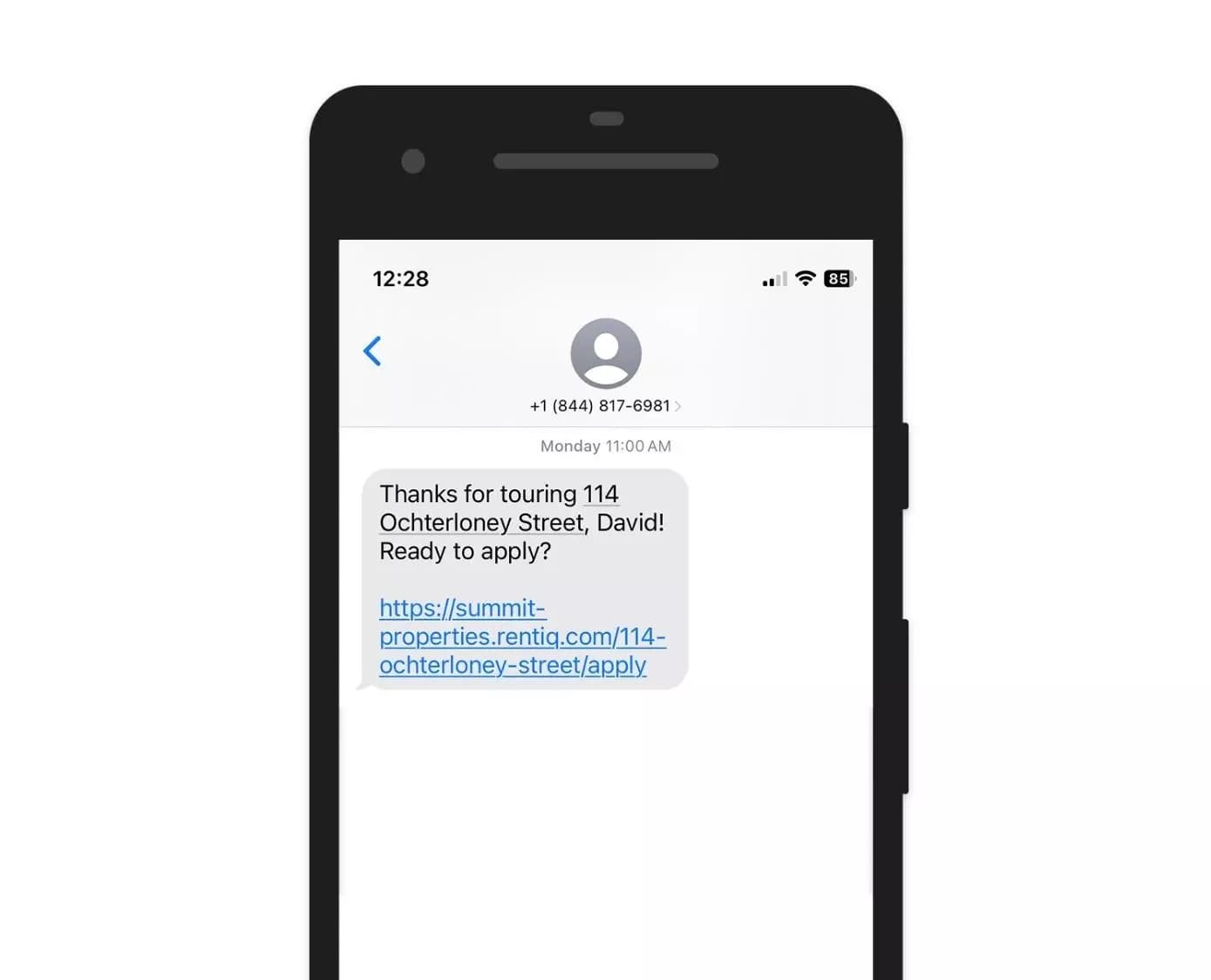
Post-Tour Follow-Up
Sent after the tour with a link to apply
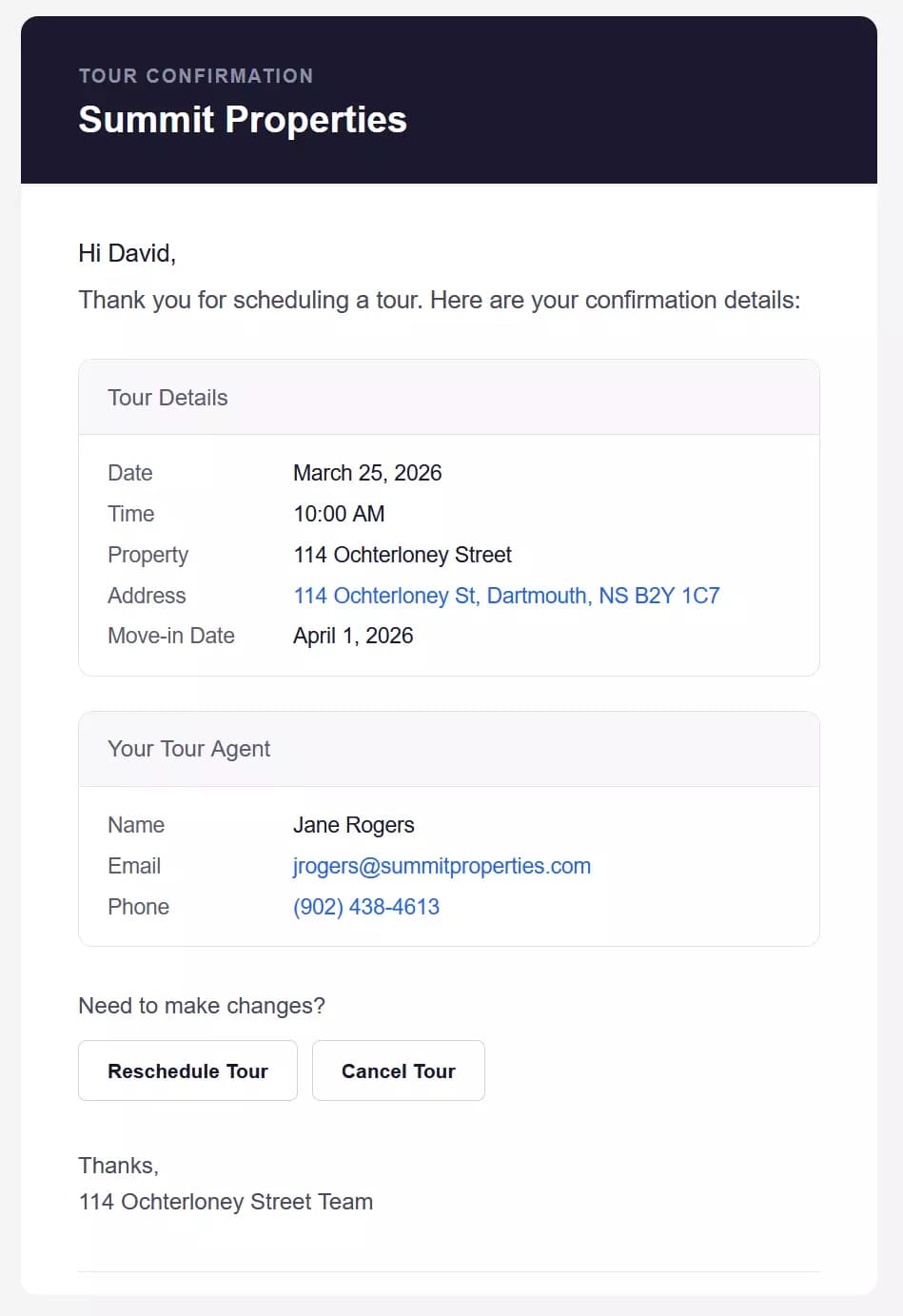
Automatic Email Notifications
Prospects and agents stay informed at every step
- Tour confirmation email with a calendar invite and option to reschedule or cancel
- Reschedule confirmation with updated tour details
- Cancellation confirmation with option to rebook
- Agent notifications for new tours, cancellations, and reschedules

Tour Management
Manage Every Tour
A complete picture of every tour in your leasing pipeline
- Track every tour, whether booked online or scheduled by your team
- Add prospect notes, reschedule, or cancel tours easily
- View upcoming and completed tours in one place
Tour Outcomes
Record Tour Outcomes
Edit guest and tour details after booking, then record attendance, lease outcomes, and notes
- Mark whether the guest attended
- Record the lease outcome
- Edit guest details and add notes

Marketing Attribution
Connect Marketing to Leasing Results
Tours are connected to the marketing channel that produced them, so you can put budget where it leases units

Every source in one place
Tracks tours from listing sites, paid ads, social, and referral traffic together.
Offline sources included
Signage, word of mouth, and tenant referrals are included, so the picture is more than online clicks.
Easy to set up
Add one script to your site, and every future tour is attributed automatically.
Reporting
Leasing Analytics
Rent IQ tracks every tour from booking to signed lease and reports the results by property, agent, marketing channel, unit type, and time

Ready to Improve Your Leasing Results?
Book a demo to see what Rent IQ can do for your portfolio.